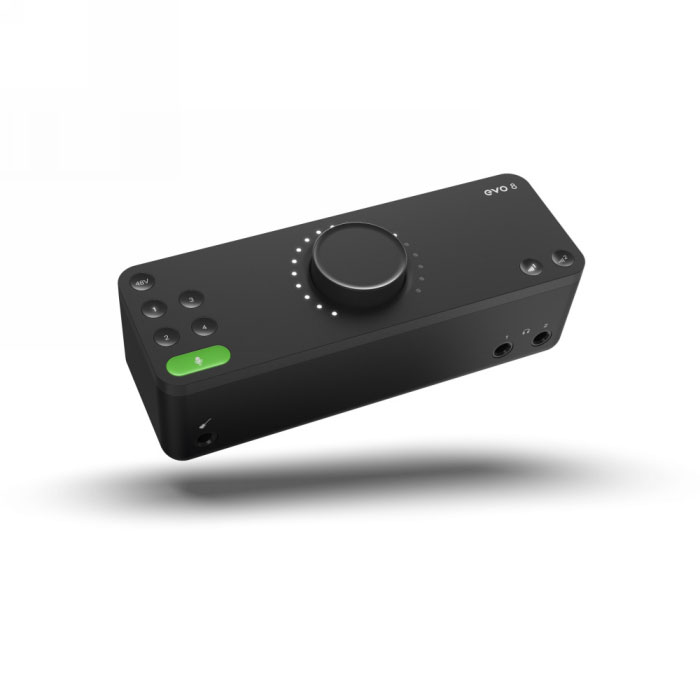
Evo - EVO 8
- 4 x EVO Mic Pres
- Pristine Converters
- Smartgain
- Smart Touchpoints
- JFET Instrument Input
- 2 x Speaker Outputs
- 2 x Headphone Outputs
- Ultra-Low Latency
- Monitor Mix
- Loopback Functionality
- USB2.0 Bus Powered
- Free Software + Plugins
| Brand: Audient |
EVO 8 has all of the innovative new features found on EVO 4 but provides even more I/O for those who need the extra channels. Additionally featuring 4 EVO mic pres, 2 pairs of speaker outputs and two headphone outputs, EVO offers unrivalled performance and functionality at its price point - all off of bus power!
Smartgain
EVO 4 + 8’s most exciting and game changing feature is ‘Smartgain’. Start playing or singing and Smartgain mode will automatically set the level of your microphones. You can even set the gain for both channels simultaneously. Spend more time being creative, and less time learning to become an audio engineer - perfect for beginners.
Why?
- Set gain correctly fast
- Avoid clipping + distortion
- Get better recordings
- Reduce learning curve
- Work Independently
Smartgain - How does it work?
- Press the Smartgain button to begin
- The Smartgain LED will illuminate green and the input channel LEDs (1 & 2) will begin to flash (indicating a channelmust be selected)
- Press one or more of the input channel buttons to select the channels to be adjusted
- Press the Smartgain button again to begin the process
- The Smartgain LED will start flashing red and the volume wheel LED’s will illuminate indicating that Smartgain Mode is now listening
- Start playing or performing into the microphone
- Smartgain Mode will dial in the correct levels and when complete the Smartgain button will flash green twice to indicate it has been successful
- You are now ready to start recording